
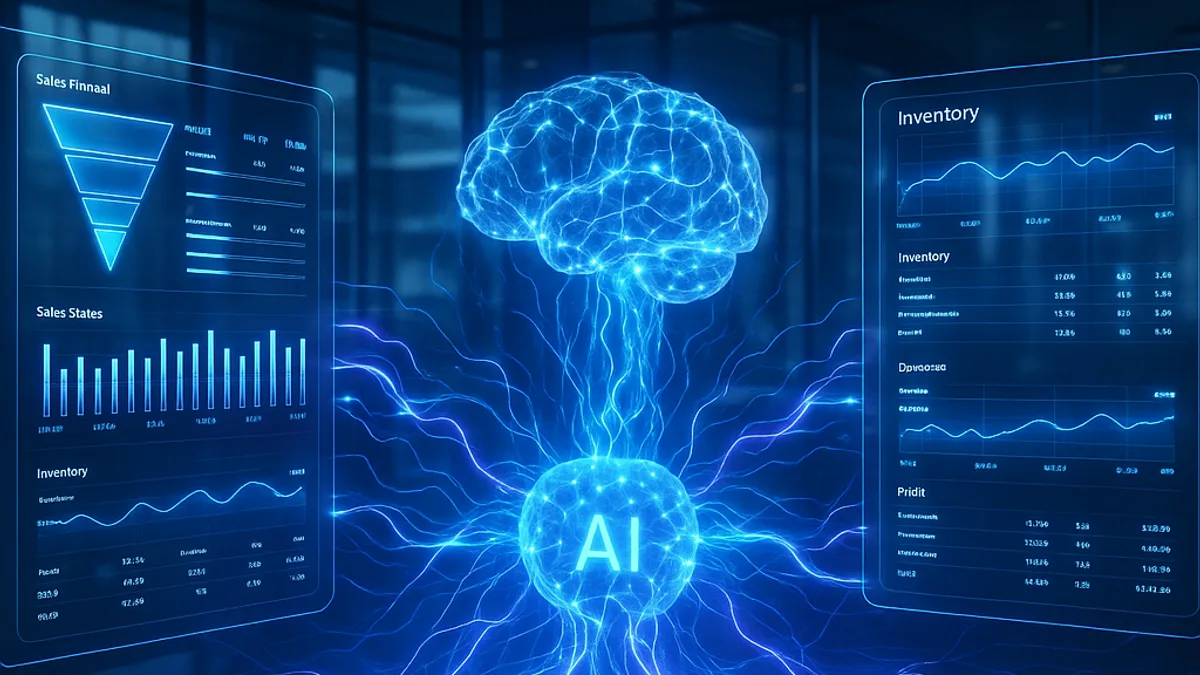
AI integration with CRM and ERP systems means that an artificial intelligence system reads data from your ERP and CRM and uses it to answer questions, put together reports, write draft replies and sort incoming enquiries and documents, while the ERP remains the single source of truth. It pays off when people export, retype and compile the same data by hand every week, and to get started it needs three things: read-only access to the data, data you can trust, and one concrete business question or report.
What does AI on top of your CRM and ERP do in practice?
An AI layer is a separate program that connects to the ERP or CRM, reads the data it is allowed to see and uses a language model to work with it. In practice it does four kinds of work:
- It answers business questions and puts together reports. A manager asks in their own words, for example which category is selling best this month, and the system returns the figures, a short explanation and a chart.
- It writes drafts from CRM data. From the order history, open quotes and agreed terms it produces a draft reply to a customer or a draft quote, which an employee reviews and sends.
- It sorts incoming enquiries and documents. It recognises emails, purchase orders and complaints and links them to the right customer, item or case, with a suggested priority.
- It proposes, and a person decides. The system proposes moving stock between warehouses, an order from a supplier or a reminder to a customer, and the responsible person makes the decision and enters it in the ERP.
What should stay rule-based?
Everything that can be written down as a formula or a table: prices and discounts, taxes, accounting entries, stock levels, payment terms and approval thresholds. Rules like these are carried out by ordinary program logic, which gives the same result every time and is easy to check. Use AI where the input is messy: free text, documents in different formats and questions asked in people’s own words.
How does AI connect to your ERP and CRM?
There are five common ways, and the order in the table is also the order in which they are worth considering.
| Connection method | How it works | Advantages | Risks | When it fits |
|---|---|---|---|---|
| Official application programming interface (API) | The AI layer requests data through an interface that the vendor publishes and maintains. | It is supported by the vendor, and access can be limited to the data needed. | It does not always cover every field, it limits the number of calls and it is sometimes charged separately. | When the interface exists and covers the data you need. |
| Read-only copy or replica | The data needed is copied regularly into a separate database, which the AI layer reads from. | Queries put no load on the ERP, and the AI layer cannot change anything in the source. | The data lags behind the source, and the copy needs the same protection as the source. | For reports and business questions that do not need the state of this very second. |
| Scheduled file export | The ERP exports CSV or Excel files on a schedule to an agreed location. | It usually needs no development in the ERP and also works with older systems. | A changed column or format can silently break the processing, and the data is only current until the next export. | When there is no interface, or for a quick start to a pilot. |
| Event notifications (webhooks) | The ERP or CRM itself reports when a record is created or changed, for example a new order. | The AI layer reacts at once, without constantly polling the system. | Notifications can get lost or arrive twice, so they need to be acknowledged and periodically reconciled with the source. | For sorting new enquiries and documents as soon as they arrive. |
| Screen automation | A program imitates a user: it opens screens, types and clicks. | It is possible even when there is no other way. | It breaks with every change to the interface, is slow and is hard to monitor. | Only as a last and temporary resort. |
What is available depends on the vendor and on whether the system runs in the cloud or on your own server. For Business Central, for example, Microsoft documents an API for exchanging data, notifications when records change and a read-only database replica, which reports and queries use so that they do not slow down business processes. For Pantheon, Datalab offers online services (API) (in Croatian) for connecting to external applications.
The connection method and the state of the data are also among the main cost drivers, along with the number of questions and reports the system covers and whether it has to write to the ERP. What else affects the price is explained on our AI implementation cost page.
How do you keep accuracy and control?
Read-only first, writing later and with approval
An AI layer that only reads cannot corrupt accounting entries, stock or orders. That is why the first version gets a service account with read-only permission, and only for the tables it needs. The ERP remains the single source of truth: the AI layer keeps no records of its own on customers or stock, but reads the source or a copy of it.
Writing comes as a separate phase, once the system has proved reliable. It goes through the official interface, for precisely defined actions, with the approval of a responsible person and a record of who approved what. Drafts are a good intermediate step: the system prepares an order or a reply, and a person checks and confirms it.
The figures come from queries, and the model explains them
A language model writes convincing text, but it is neither a calculator nor a database. The Croatian data protection authority, AZOP, also warns in its recommendation on the safe use of large language models (in Croatian) that such systems can produce inaccurate, incomplete, outdated or invented information. So the work is split: the model works out what the user is asking, a database query calculates the figures, and the model describes the result. That way the model cannot “invent” a revenue figure, because the query supplies that number, not the model.
Example: a sales manager asks which customers are ordering less this year than last year. The query compares orders per customer for both periods, and the model writes a short summary and highlights the customers worth calling. The answer shows the period and the data source, and the system declines a question that no query covers instead of guessing.
Access rights follow the roles in the ERP
The AI layer must not become a back door to the data. If a sales representative cannot see margins or other people’s customers in the ERP, they must not see them through a question put to the AI system either. That is why every question is checked for who is asking it, and the query is restricted by the same rules that apply to that person in the ERP. Questions and answers are logged so that it can be checked later who saw what.
Data quality matters more than the choice of model
If the same customer is entered under several names, items are categorised without rules and fields are filled in at will, AI will only present that mess faster and more convincingly. That is why the pilot starts with a review of the data the first question uses: duplicates, empty fields, inconsistent names and codes. Errors are corrected in the ERP, at the source, not with patches in the AI layer.
Data protection: GDPR, contracts and where data is processed
As soon as the AI layer reads contacts from the CRM, or data about individual customers or employees, it is processing personal data and the General Data Protection Regulation (Regulation (EU) 2016/679) applies. Four points matter most for an integration project:
- Only the data needed. The data minimisation principle in Article 5 means the AI layer gets only the fields needed for the purpose. A report on sales by category does not need customer names.
- A contract with the processor. If the integrator, the hosting provider or the AI model provider processes personal data on your behalf, the relationship is governed by a contract under Article 28, and the processor may not engage another processor without your written authorisation.
- Security of processing. Article 32 requires measures appropriate to the risk, such as pseudonymisation and encryption, the ability to restore the availability of data in a timely manner after an incident, and regular testing of those measures.
- Where data is processed. If the data is processed by a server or an AI model outside the European Economic Area, the transfer is allowed only under the conditions in Chapter V, for example on the basis of a Commission adequacy decision or standard data protection clauses.
In the same recommendation, AZOP advises against uploading spreadsheets and databases containing personal data to publicly available tools based on language models, unless this has been approved in advance, has a legal basis, is covered by a contract and is technically protected. It also recommends checking where the data is processed and whether the provider may use the data entered to train its models. The applications we build and maintain are hosted on servers in the EU; for the AI model, this has to be checked separately.
What does the EU AI Act mean for projects like these?
The EU Artificial Intelligence Act (Regulation (EU) 2024/1689) calls a company that uses an AI system in its business a deployer. For projects built on an ERP and CRM, these dates matter:
- since 2 February 2025, the bans on certain practices and the AI literacy obligation have applied: the company takes measures to support the knowledge of employees who work with AI systems;
- since 2 August 2026, the transparency obligations in Article 50 have applied: anyone who interacts directly with an AI system, such as a customer with a chatbot, must be informed that they are talking to an AI system, unless this is obvious;
- following the amendment by Regulation (EU) 2026/1744, the obligations for high-risk systems apply from 2 December 2027 for systems listed in Annex III and from 2 August 2028 for systems covered by Annex I.
Sales and stock reports, draft replies and the sorting of customer enquiries are not among the areas listed in Annex III. Some uses alongside an ERP and CRM are, however, such as evaluating and monitoring employees or assessing the creditworthiness of individuals, so assess ideas like these before development.
How to introduce AI on top of your ERP: a seven-step plan
- Choose one question or report. The best candidate is a task someone does by hand every week, with a clear user and a clear measure of accuracy.
- List the data and check its quality. Which tables and fields are needed, who is responsible for them and which errors you already know about.
- Open read-only access. Choose a connection method from the table and agree it with the partner who maintains your ERP.
- Build the queries and compare the figures. Compare the result for the same period with the manual report, together with the people who produce it today.
- Run a pilot with a small group of users. With us, the first working version is usually ready in 4–8 weeks.
- Measure and decide. Based on the measures in the next section, expand, fix or stop.
- Put the system into production and maintain it. That means monitoring the synchronisation, an alert when an export does not arrive, and adjustments after an ERP upgrade or a change of model.
What should you measure?
Measure the starting point before the pilot, otherwise you will have nothing to compare against afterwards. These measures are useful:
- the time from request to finished report;
- the number of manual exports and copy-and-paste jobs that have disappeared;
- the share of answers that a person had to correct or complete;
- the share of questions the system could not answer;
- the accuracy of sorting enquiries and documents compared with a manual check;
- the number of people who still use the system once the initial curiosity has worn off.
From our own work: Instar informatika and Luceed
Instar informatika is a Croatian retailer and distributor of IT equipment with its own stores and a wholesale business. Its ERP is Luceed by Tomsoft (in Croatian). We connected Business Booster, our business platform for communication, tasks, analytics and AI, to the data in Luceed. Every night Business Booster synchronises a copy of the data it needs: items, stock per warehouse, retail and wholesale sales data, and the list of stores and warehouses.
- Automatic sales and stock reports by brand. Each report is an Excel file in exactly the format the manufacturer asks for, for example Acer, Asus, HP, Lenovo, Logitech or Samsung. The reports are generated on a schedule, say every Monday for the previous week, and sent by email. The figures come straight from the ERP data; these reports are not written by AI.
- Business questions in Croatian. A manager can ask which products sell best, which stores perform best, how a category is doing, what is low on stock but still selling, or which stock is not moving. The figures are calculated by queries over the ERP data, and the language model only classifies the question and writes a short explanation to go with the charts.
- Optional AI commentary on a report. With a brand report, you can ask for a summary, trends, suggested transfers between stores, reorder priorities and risks. The commentary is a suggestion that a person checks before any decision is made.
The lessons apply to other projects too: the ERP remains the single source of truth and the AI layer reads a copy; the figures come from queries and the model only explains them; access rights follow those in the ERP. The report formats are set by the manufacturers, so the value lies not in a new look for the reports but in the manual exports and retyping that disappear.
The first conversation with us is free, and its purpose is to choose together one question or report that is worth starting with. We talk about which ERP and CRM you use, how you get to your data today, who prepares the reports and which personal data the system would touch. After that you receive a scope, a cost estimate and a phased plan, and you can then follow progress in our client portal. We describe what the whole project looks like on our page about AI integration with CRM and ERP systems.
Frequently asked questions
Can AI work with Luceed, Pantheon or Business Central?
Yes, if there is a reliable route to the data: an official API, a read-only copy of the data or a regular export. We check at the start what is available for your system and on what terms, together with the partner who maintains your ERP.
Will AI change data in our ERP?
Not in the first phase. The first version only reads data; writing comes later, through the official interface, for precisely defined actions and with the approval of a responsible person.
Can the language model invent a figure in a report?
Not if a database query calculates the figures and the model only describes them. The model can still misunderstand the question, so the answer should always state the period and the data source.
Can customer data be sent to an AI model?
Only the data that is necessary may be sent, with a legal basis, a contract with the provider that processes it on your behalf and appropriate safeguards. Many reports do not need customer names at all, so the AI layer never receives them.
How long does implementation take?
The first working version for one question or report is usually ready in 4–8 weeks. Going live follows the pilot and the measurements, and how long that takes depends on the connection method and the state of the data.